Slack CLI
-
Use Slack CLI
Run Slack CLI commands with the configured Slack connection.

Enable access to Slack Web API endpoints and Slack Events API callbacks.
Run Slack CLI commands with the configured Slack connection.
Check Slack authentication state.
List Slack conversations.
Show details for a Slack conversation.
Fetch Slack conversation history.
Fetch replies in a Slack thread.
Post a Slack message to a conversation or thread with text, Block Kit blocks, block elements, and attachments.
Update a Slack message with text, Block Kit blocks, block elements, and attachments.
Delete a Slack message.
Get a permalink for a Slack message.
Add a Slack message reaction.
Remove a Slack message reaction.
Show Slack file metadata.
Download a Slack file to a local path.
Upload a local file to Slack.
List Slack emoji.
Credential safety
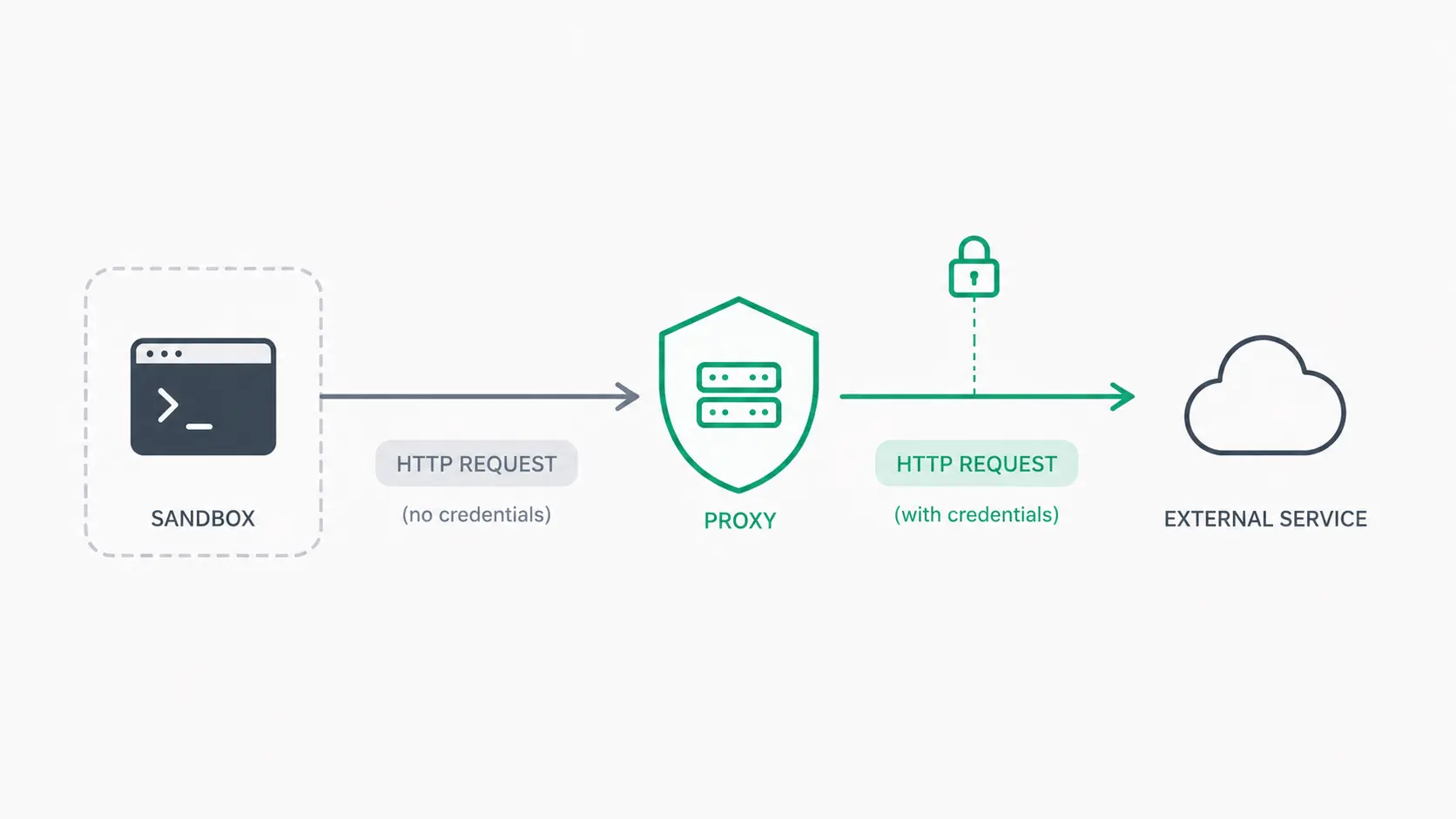
Mistle lets agents access connected services without placing provider credentials inside the sandbox. Approved outbound requests are routed through Mistle's credential proxy, where authentication happens outside the agent runtime.
Credentials stay encrypted in Mistle's control plane and are applied only when a request is authorized for the calling sandbox and organization.
Read the credential-less sandboxes article